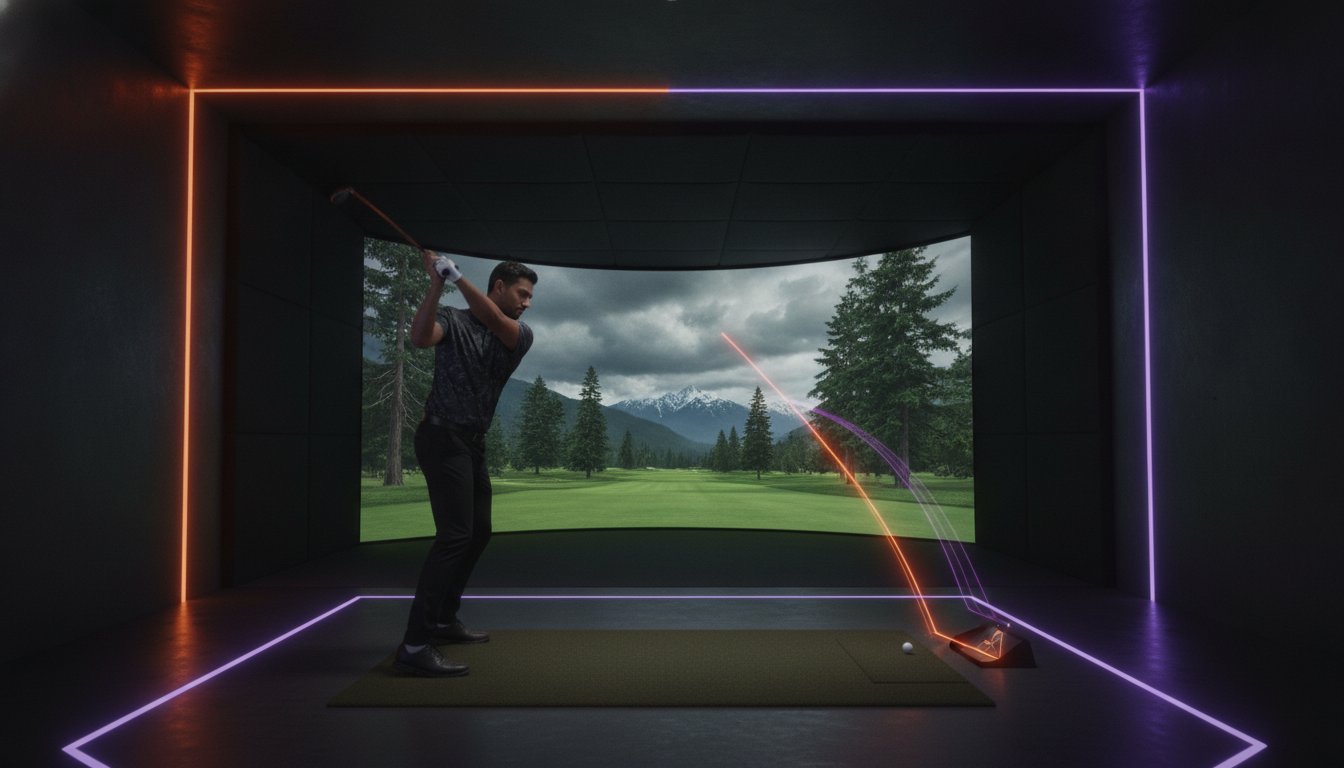
For winter golf near Surrey, book the golf simulator at CipherX Delta, 7949 120 St on Scott Road, right on the Surrey border. It runs Apogee simulators with E6 Connect software, offers 100+ courses and shows swing data on every shot, and you can book 1, 2 or 3-hour slots for 1–6 players. Clubs are provided, and you’re welcome to bring your own if you want numbers that match your real bag.
This guide is for golfers who would rather not lose their swing between the last outdoor round of autumn and the first one in spring. It covers what indoor practice can and can’t do, how to read the swing data, a plan for each slot length and how to turn practice into a proper group round.
What Indoor Winter Practice Can and Can’t Do
The gap between rounds is where most swings drift. A simulator won’t recreate everything about a course, so be clear about what you’re working on.
- What you can keep sharp: your full swing, tempo, quality of contact, start lines and how far each club carries.
- What you can measure: club speed, ball speed, launch angle, spin rate and carry distance, shown after every shot.
- What still needs real grass: uneven lies, reading greens in person, playing in wind and the feel of turf through impact.
Treat the winter as the season for building a repeatable swing and learning your numbers. Spring is for taking both out to the course.
How to Read Your Swing Data
Every shot on the Apogee simulators produces a short readout. You don’t need to track all of it. Pick the numbers that match what you’re trying to fix, and ignore the rest until you need them.
| Metric | What it tells you | How to use it this winter |
|---|---|---|
| Club speed | How fast the club head is moving at impact | Check whether a swing change is costing you speed |
| Ball speed | How fast the ball leaves the club face | Compare it with club speed to judge how cleanly you’re striking it |
| Launch angle | How steeply the ball starts upward | Spot shots that start too low or balloon up |
| Spin rate | How much backspin the ball carries | Understand why a drive falls out of the air or a wedge won’t stop |
| Carry distance | How far the ball flies before it lands | Build a yardage list for every club you carry |
Three habits that make the numbers useful
- Look at the typical shot, not your best one. Hit five balls with one club and note the usual carry. The one you flushed isn’t the number you’ll get on the course in April.
- Change one thing at a time. If you adjust your grip and your ball position together, the data can’t tell you which one helped.
- Write it down. A short note after each visit, with the club, the usual carry and what you worked on, gives you a record to compare by March.
If the readout is new to you, the golf simulator page suggests starting on a course you already know, so the numbers have something familiar to sit against.
A Practice Plan for 1, 2 or 3-Hour Slots
Sessions are billed by the hour, and the slot you pick shapes what you can get done. Here’s one way to use each.
1 hour: one focus, then a few holes
- Warm up on the driving range (about 10 minutes). Start with easy wedges and let your rhythm settle before you reach for the driver.
- Work on one thing (about 30 minutes). Choose a single goal, such as a steadier launch angle with your 7-iron or a more consistent driver carry, and hit in sets of five so you can see a pattern.
- Put it under pressure (about 20 minutes). Switch to a course and play a few holes. Count every shot with no mulligans, so the practice meets a little pressure before you leave.
2 hours: practice plus 9-hole quickplay
Spend the first 45 minutes or so on the range, working through your bag from wedges up to driver and updating your yardage list. Then play 9-hole quickplay on a course you’d love to see in person, such as Pebble Beach or Banff Springs. An 18-hole round for 2 players typically takes 1.5–2 hours, so nine holes for two fits comfortably in the time left.
3 hours: a full round with friends
A 3-hour slot suits a group that wants a full 18. Each extra player adds swings to every hole, so a foursome is better off with the longer booking. Use the first 15 to 20 minutes as a group warm-up on the range, then play the round as a test of whatever you’ve each been working on.
Your Clubs or Ours
Clubs are provided, with drivers, irons, wedges and putters fitted for various heights, so you can walk in empty-handed, which is handy when you’re coming straight from work.
For serious winter practice, bring your own set. Playing with your own clubs makes the swing data more relevant to your real game, and it’s the only way to build a yardage list you can trust in spring.
Group Rounds That Keep Everyone Sharp
Practice is easier to stick with when someone else is booked in with you. Each simulator takes 1–6 players, and the software manages turn order, scoring and handicaps, so the group can concentrate on playing.
- A winter league with friends: choose one course for the season and replay it every few weeks. Whoever improves most by March picks next winter’s course.
- Skills night: mix closest-to-the-pin and longest drive rounds between holes. Anyone in the group who doesn’t golf can join these without knowing the rules of a full round.
- An after-work nine: CipherX Delta is open until 11 PM Monday to Thursday, so a 9-hole quickplay round fits after a workday.
- Bigger groups: with more than six people, pair golf with coached axe throwing, which is also Delta-only, and swap halfway. For work groups, see our guide to a golf simulator corporate event.
Planning Your Winter Visit
- Where: CipherX Delta, 7949 120 St (Scott Road), Delta, right on the Surrey border, with free parking. The golf simulator is only offered at this location.
- Hours: Monday to Thursday 12 PM–11 PM, Friday 12 PM–12 AM, Saturday 10 AM–12 AM and Sunday 10 AM–11 PM (axe lanes open at 11 AM on weekends). Hours may vary on public holidays, so check or book online first.
- Booking: weekends fill 2–3 weeks ahead, so reserve evening and weekend slots early. Rescheduling is free with 48+ hours’ notice.
- Waivers: sign online before your visit so check-in is quick.
- Points: CipherX Rewards is free to join and earns points on every visit.
For directions from different parts of Surrey and a first-timer’s look at the simulator, read our earlier post on indoor golf near Surrey.
Frequently Asked Questions
Where can I play golf indoors near Surrey this winter?
CipherX Delta at 7949 120 St (Scott Road), right on the Surrey border, has a golf simulator running Apogee simulators with E6 Connect software and 100+ courses. The golf simulator is only at the Delta location.
What swing data does the golf simulator show?
The simulator at CipherX Delta shows club speed, ball speed, launch angle, spin rate and carry distance for each shot, which makes it useful for winter practice and for building a yardage list for your clubs.
Can I bring my own golf clubs?
Yes. Clubs are provided at CipherX Delta, and you’re welcome to bring your own, which makes the swing data more relevant to your real game.
How long should I book the golf simulator for?
You can book 1, 2 or 3-hour slots for 1–6 players. An 18-hole round for 2 players typically takes 1.5–2 hours, so larger groups playing a full round should book a longer slot.
How much does the golf simulator cost?
Golf simulator sessions at CipherX Delta are billed hourly. For current rates, check the golf simulator page on the CipherX website or call CipherX Delta at (604) 591-6544.
Keep your swing in shape until spring: book the golf simulator at CipherX Delta, or call (604) 591-6544 to ask which slot length suits your group.